


Xoom: Send Money & Transfer
4.830.30K Reviews
App Specs
- Version
- 10.11.0
- Updated On
- License
- Free
- Downloads
- 5,000,000+
- Developer
- Xoom, a PayPal Service
- Categories
- Finance
- Platform
- Android, iOS
Screenshots
 Analysis by AppCompare
If you're anything like me, you know the hassle of sending money internationally. It can be a maze of fees, delays, and downright frustration. Enter Xoom, the app that promises to revolutionize the way we transfer money across borders. I've spent some time getting to know this app, and I'm here to spill the beans on whether it lives up to the hype.
Who Xoom suits best
I find Xoom most useful when I already know who needs the money and where it needs to go. It is a finance app from Xoom, a PayPal Service, built around cross-border transfers rather than everyday budgeting or splitting local bills. That focus makes it a practical option for people who regularly help relatives abroad, pay someone in another country, or need to send support without asking the recipient to adopt the same payment app they use at home.
A realistic example is sending money to a family member who has run short before payday. I would compare the available delivery choices and total cost before confirming, then make sure the recipient knows what to expect and when. That last step matters: a transfer can be quick without removing the need to coordinate how the other person will receive it. For an urgent need, I would check the displayed details carefully rather than assume every destination and payout method works at the same speed.
People who mostly move money between their own accounts, pay local friends, or want a general-purpose wallet may be better served by their bank or a domestic payment app. Xoom’s main appeal is sending across borders, so its value depends on whether that is a regular part of your life. Occasional users can still find it convenient, but should weigh the cost of a one-off transfer against whatever options they already have.
Getting Started with Xoom
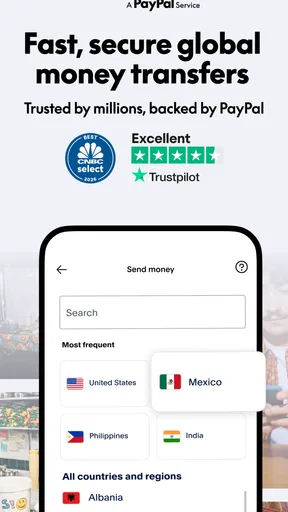
First things first, downloading Xoom on either Android or iOS is a breeze. A quick search in the App Store or Google Play, and you're on your way. Once installed, setting up an account is straightforward. You’ll need to provide some basic information like your email and phone number. They have a slick, user-friendly design that makes it easy even for the not-so-tech-savvy folks.
After signing up, you’ll need to link a funding source. Here’s where Xoom really shines. You can link your bank account, debit, or credit card with just a few taps. The app offers a neat walkthrough to guide you, which I found super helpful. They make sure the process is as smooth as possible, minimizing the usual headaches associated with financial apps.
Before confirming a transfer
For a first transfer, I would treat the review screen as a checklist, not a formality. Confirm the recipient’s details, destination, funding method, delivery option, and the amount the other person is expected to receive. A small mistake in a name or payout choice can create avoidable back-and-forth, so it is worth taking an extra moment before sending. If you are helping someone who is unfamiliar with international transfers, agree on the details with them first.
Worth Reading Before You Choose

EA SPORTS FC Mobile 26 Is a Bigger Football Game, but It Takes Time

Flipboard Shows What News Apps Must Do Beyond the Feed

Switching to Android Auto Means Rethinking Your Driving Routine

Google Calendar Makes a Crowded Week Easier to Manage

Ludo King Makes the Most of the Minutes Between Plans

Baby Panda World Brings Quick Play to Modern Phones, but Its Game Library Feels Busy
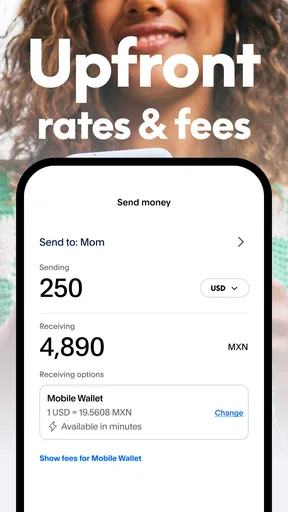
It also helps to compare the complete cost rather than focusing on one number. The fee is only part of the decision; the exchange rate affects how much arrives as well. I would use the in-app estimate to judge the amount the recipient gets, then decide whether speed or a lower overall cost matters more for that particular payment. This is especially useful when the transfer is planned rather than urgent.
The Transfer Process
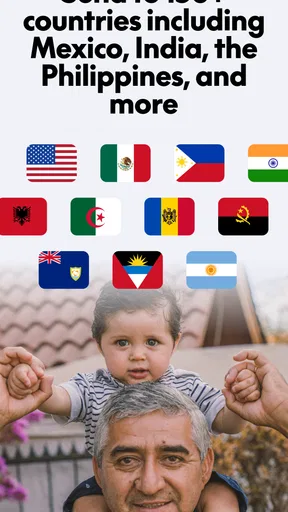
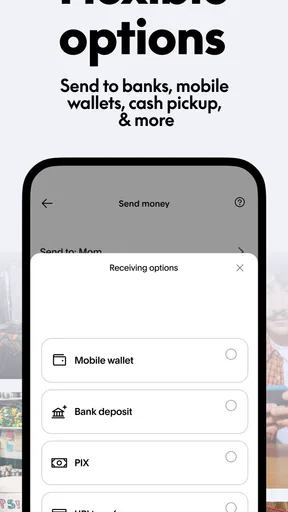
Now, let’s dive into the nitty-gritty: the transfer process. Xoom allows you to send money to over 130 countries. Whether it's sending cash for an emergency or just helping a friend out, they've got you covered. The app provides plenty of options to tailor your transaction. Want the recipient to pick up cash? No problem. Prefer a bank deposit? Done and dusted. You can even top up mobile phones abroad.
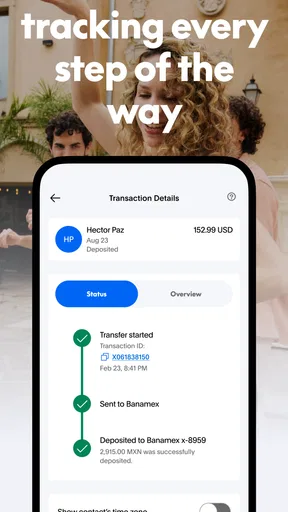
What really caught my attention was the speed of transfers. Xoom promises speedy delivery, often within minutes for certain transactions. I put it to the test, and sure enough, the money was there quicker than I expected. The app keeps you updated every step of the way with notifications, so you're never left in the dark.
Speed depends on the situation
Fast delivery is appealing, but I would not plan every international payment around the quickest possible outcome. Destination, payout choice, and funding method all affect what makes sense, so I would check the estimate shown for the exact transfer I am making. For a bill or an emergency, the recipient’s deadline should guide the choice; for routine family support, a less time-sensitive option may be perfectly adequate if its total cost is better.
Notifications are useful for keeping track, but I would still communicate directly with the recipient. That is a simple way to avoid confusion if they are expecting a cash pickup or a bank deposit, and it gives both sides a shared understanding of the plan. The practical benefit is less about watching a status message and more about knowing what action, if any, the recipient needs to take.
Security Measures
But what about security? It’s no secret that handling money online can be a nerve-wracking experience. Xoom has invested heavily in security features. They use encryption to protect your data and have a dedicated team monitoring for any suspicious activity. I felt pretty secure using the app, knowing they’ve got my back with their robust measures.
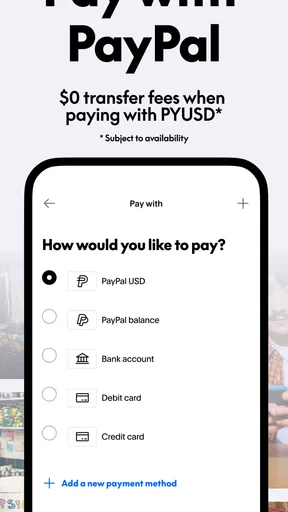
Xoom is also part of PayPal, which adds an extra layer of trust. The integration with PayPal means you can use your PayPal balance for transfers. Plus, they offer a money-back guarantee if your transfer doesn’t go through as promised. That peace of mind is worth its weight in gold.
Reliability in everyday use
For a money-transfer app, reliability is not just whether the interface opens; it is whether I can review a payment carefully and understand its progress. The established transfer flow and status updates make the process easier to follow. Still, I would avoid sending at the last possible moment when the recipient depends on the money for something time-critical. A sensible buffer gives room to respond if a transfer needs attention, and avoids treating an estimate as a guarantee for every situation.
If an app appears slow or a screen does not respond, my first move would be to pause before submitting again. Sending a duplicate because I am unsure whether the first attempt went through could create more trouble than waiting to check its status. I would review the transfer history or status in the app and contact support if I still could not tell what happened. That cautious workflow is useful with any service handling money, and especially when speed is the reason for choosing it.
Fees and Costs
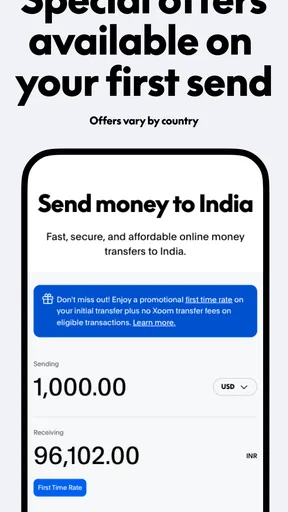
Ah, the fees. This is where some people might hesitate. Xoom isn’t free, and the cost varies depending on how you fund the transfer and where it’s headed. However, I found the fees to be competitive, especially for the speed and convenience provided. They offer a fee calculator right in the app, which is a handy tool to see exactly what you’ll be paying before you commit.
Comparing the usual alternatives
Compared with a bank transfer, Xoom puts international sending into a dedicated app flow and presents choices for how the recipient can get the money. A bank may be more convenient if you already handle all payments there, while Xoom may suit you better when you want to compare a transfer’s cost and delivery route in one place. Neither choice is automatically best: the destination, amount, timing, and recipient’s access to the payout method can change the answer.
Compared with a local wallet or a person-to-person payment app, the key distinction is the cross-border purpose. A domestic app can be simpler when both people are in the same payment network, but that convenience does not necessarily solve an international transfer. I would choose Xoom when its available route matches the recipient’s needs and the final amount makes sense; I would choose another option when a familiar bank route is cheaper or more suitable for the particular destination.
User Experience
Overall, the user experience is stellar. The app’s interface is clean, intuitive, and easy to navigate. The design is modern, with everything you need right at your fingertips. Customer support is also top-notch, with a responsive team ready to help if you encounter any snags.
I also appreciated the little touches, like the ability to save recipient details for future transfers. It’s these small conveniences that make using Xoom a pleasant experience. Whether you’re a first-timer or a seasoned user, the app caters to all levels of expertise.
Device fit and repeat use
The app is free and is rated for Everyone, which makes trying it straightforward for adults who need this kind of service. It has been available since August 8, 2012, and version 10.9.0 requires Android 10 or later. That minimum matters if you are using an older Android phone: check compatibility before making plans around a transfer. On a supported device, I would keep the app updated and make sure I can access my account before a time-sensitive payment rather than waiting until the last minute.
For people who send to the same recipient repeatedly, saving their details can reduce re-entry and make a routine transfer less cumbersome. I would still check those details every time, particularly if the destination or delivery choice changes. The convenience is best used to avoid repetitive typing, not as a reason to skip reviewing the recipient and amount before confirming.
Xoom has an average rating of 4.8 from around 360,000 ratings, with roughly 30,000 written reviews and over 5 million installs. Those figures suggest that many people have tried it, but they cannot tell me whether a particular route or payment method is right for my needs. I would use them as background, then make the decision based on the quote and delivery options shown for my own transfer.
Final Thoughts
So, is Xoom the game-changer it claims to be? In my book, it absolutely is. With its ease of use, speedy transfers, and robust security, it’s a solid choice for anyone needing to send money internationally. While the fees might not be the lowest, the convenience and reliability more than make up for it. If you’re looking to transfer money across borders without the usual hassle, Xoom is definitely worth checking out. Give it a whirl, and you might just find it to be the perfect fit for your needs.
My performance verdict
I see Xoom as a focused tool for a specific job, not an app I would keep open all day. Its value comes from making an international transfer manageable: choose a route, check the costs, enter the recipient, and follow the payment. I cannot judge speed by a single expectation because different transfers have different circumstances, so I would plan around the estimate provided for the transaction rather than assume every payment will arrive immediately.
Pros
- Fast international money transfers.
- User-friendly interface.
- Low transfer fees.
- Supports multiple currencies.
- Real-time tracking of transactions.
Cons
- Limited customer support options.
- Requires account verification.
- No cash pickup option.
- Potential hidden fees in exchange rates.
- Limited availability in some countries.
FAQs for Xoom: Send Money & Transfer
What is Xoom and how does it work?
Xoom is a digital money transfer service that allows users to send funds internationally to over 130 countries. It operates through a user-friendly app available on both Android and iOS. Users can send money directly to bank accounts, for cash pickup, or even have it delivered to their recipient’s door. The process is simple: sign up, select the destination, input the amount, and choose your payment method.
Is Xoom secure for international money transfers?
Yes, Xoom is highly secure for international money transfers. It is a service by PayPal, which provides a robust security framework. Xoom uses encryption technologies to protect user data, and transactions are monitored for fraud 24/7. Additionally, Xoom offers a money-back guarantee if the transfer does not go through as promised, providing users with peace of mind.
What fees are associated with using Xoom?
Xoom charges fees based on the amount and destination of the transfer. Fees can vary depending on the payment method chosen; for example, using a bank account might incur lower fees compared to credit or debit cards. It’s important for users to review these fees before completing a transaction, as they can significantly impact the total cost of sending money.
How long do Xoom transfers typically take?
The transfer time with Xoom can vary depending on the destination and payout option. Bank deposits usually take a few hours to a couple of days. Cash pickups and mobile reloads are often available within minutes. Users should check the estimated delivery time for their specific transfer within the app before sending money to manage expectations.
Can I track my transfer with Xoom?
Yes, Xoom provides real-time tracking for all transfers. After initiating a transfer, users can log into the app to view the status of their transaction. Xoom also sends notifications via email or SMS to update users on the progress of their transfer, ensuring transparency and peace of mind throughout the process.


